About DotToDotFreePrintables: Every Picture Starts With One Dot
My favorite part of a dot-to-dot puzzle happens before the page is finished. You have been following the numbers for a while, and then you recognize what you are drawing. At the beginning, it is just a scattering of dots and numbers. You connect 1 to 2, then 2 to 3, and keep going. Somewhere along the way, a shape starts to make sense. It might be a dinosaur, a rocket, a butterfly or a sleepy cat. You still have lines to draw, but now you know where they are taking you.
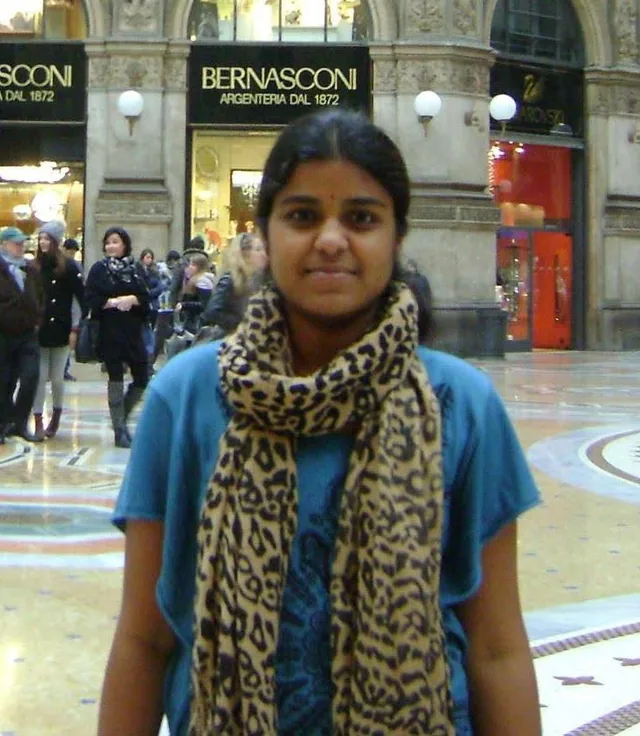
That small moment of discovery is why I created DotToDotFreePrintables. My name is Mira, and I’m the designer and creator behind this website. When I work on this site, I think about someone looking for an activity they can use today. They need to find a picture, understand what they are downloading and get it onto paper. Confusing menus or unnecessary steps can make even that small job frustrating. I care about the puzzle, of course, but I also care about everything you have to do to reach it.
I want visitors to be able to arrive with a simple thought — “I need something to print” — and leave a few minutes later with a page in their hands and a pencil ready to go.
Why I Started This Site
I did not sit down one day and decide that I needed to build a puzzle website. It began with trying to find something for my niece to do. A few years ago, I was helping my young niece, Anya, find something she could do away from a screen during a rainy weekend. She liked drawing, but whenever somebody gave her a completely blank sheet of paper, she would stare at it and say:
“I don't know what to draw.”
So I printed a simple connect-the-dots picture for her. She became completely absorbed in it. At first she was concentrating on finding the next number. Then, somewhere around dot 20, she stopped, looked at me, and said:
“I know what it is!”
She had discovered the picture before she had finished it. When she connected the final dot, she didn't put the page aside. She started coloring it. Then she added clouds. Then a tree. Then, for reasons I still don't completely understand, she gave the dinosaur a birthday hat. That was the part that stayed with me. The dot-to-dot puzzle had given her somewhere to begin, but it hadn't told her where she had to finish.
I liked that she could follow the numbers when she needed a little help getting started, then carry on with her own ideas. Nobody had asked her to decorate the dinosaur or draw a scene around it. She wanted to. That seemed worth paying attention to, especially after the blank sheet had left her unsure what to do. I started wondering how many other parents, teachers, caregivers, and families were looking for the same kind of simple activity: something that could be printed quickly, understood immediately, and enjoyed without a complicated setup. That question eventually became this website.
Then I Started Looking More Closely
Because my background is in web and visual design, I became curious about the printable itself. I started downloading different dot-to-dot activities and paying attention to how they actually worked on paper. Some were lovely to use. Others looked promising until I tried them on paper. Dots were crowded together. Numbers overlapped the illustration. Lines became difficult to follow. Images printed too close to the edge of the page. Some activities looked suitable for beginners but suddenly jumped into complicated sequences. Some had attractive previews on screen but were awkward once printed.
And sometimes I simply couldn't find the subject I was looking for without opening page after page. I remember thinking:
This is such a simple activity. Finding a good one should be simple too.
I kept coming back to that thought as I worked out what I wanted this website to be. I wanted the library to be organized well enough that you could tell what you were choosing. A preview should help you decide whether to print a page. A category should take you to the subjects you expect to find there. Those sound like small things, but they matter when you have already opened several pages and still have nothing ready to use.
What I Want This Site to Be
What I want to build is a library you can return to when you need an activity. That might be for your child, your class, someone you care for or yourself. I hope the categories help you find a subject you like, and that the page you choose is worth the paper you print it on. I want the experience to be simple:
**Find a picture. Print it. Pick up a pencil. Start with number 1.**
If you arrive knowing exactly what you want, I hope you can find it quickly. If you are browsing, I hope a subject catches your eye. Either way, getting the printable should be straightforward. That simplicity shapes the way I think about the entire site — from the puzzle categories to the printable layout, from the wording on a page to the way visitors can report a problem. I spend time on those decisions because they affect whether the site is useful in an ordinary, busy day. The activity itself is simple. Getting to it should feel simple too.
Meet Mira and See the Work
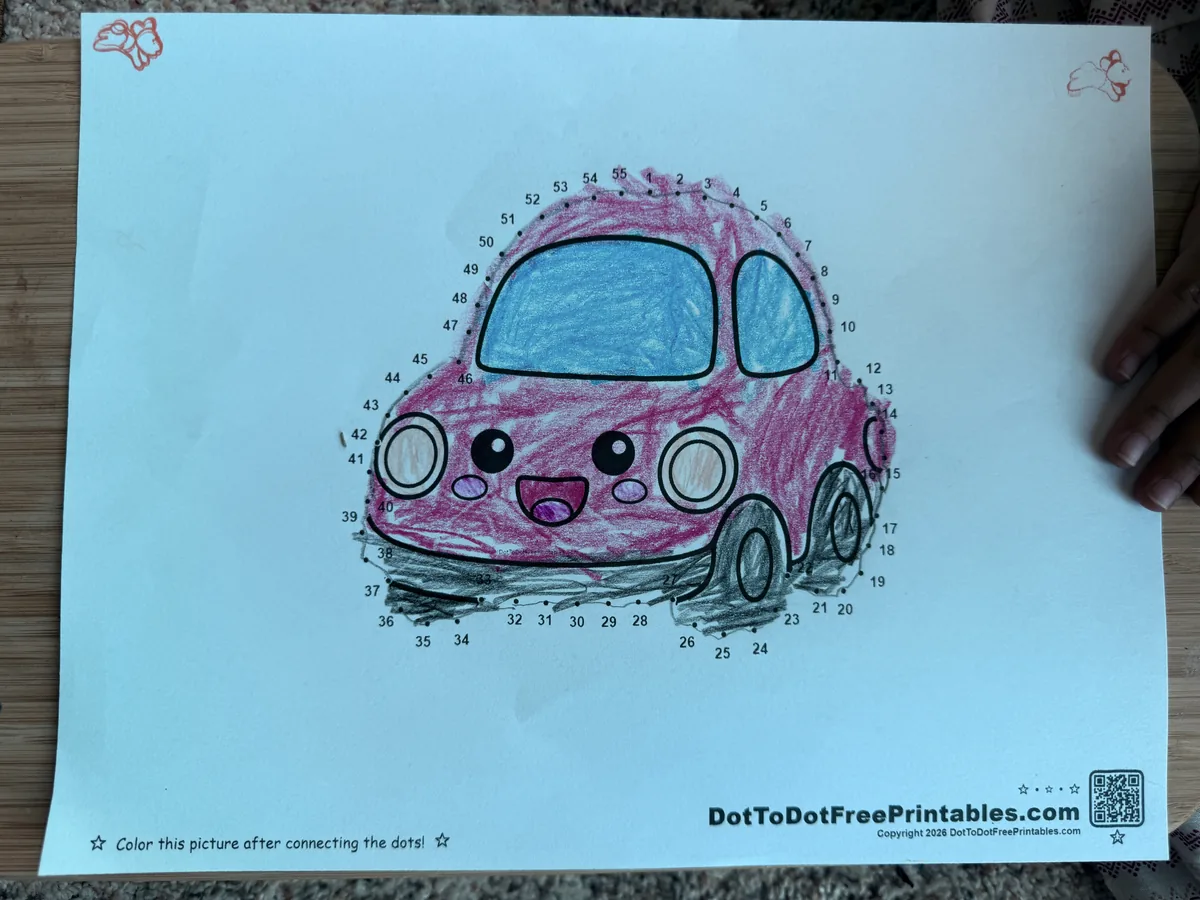
My name is Mira, and I create the puzzles and write the activity guides on DotToDotFreePrintables. My background is in web and visual design. Here, that means working on the drawing, the numbered path and the page layout, as well as the website you use to find and download them. You can see an example of that work in Cute Little Car, including a photograph of a completed and colored page.
What Makes a Good Dot-to-Dot Puzzle?
Before building this site, I thought a dot-to-dot page was simply an illustration with numbers placed around it. Once I started making them, I found there was quite a bit to consider. Moving a number or adjusting a turn can change how easily someone follows the page. The dots need enough space to be distinguishable. The sequence should be easy to follow without giving away the entire picture. Numbers shouldn't hide other numbers. The difficulty should match the intended activity. The finished shape should feel satisfying when that final line is drawn.
A puzzle can also fail in small ways that are easy to miss on a computer screen. A number may sit too close to another number. A turning point in the outline may be unclear. A line may pass so near another dot that the next step becomes confusing. A picture may look balanced digitally but print too close to the edge of a standard sheet of paper.
Those details matter because the visitor does not experience the file inside my design software. They experience it after it has been printed, placed on a table, and handed to someone with a pencil. When I am unsure about a layout, that is the question I come back to: will someone holding the printed page know where to go next?
How I Create the Printables
A puzzle can start with a subject I would like to draw, a seasonal idea or a suggestion from someone using the site. Choosing the subject is only the beginning. I still have to work out whether its shape will make sense as a numbered path and how much detail the page can comfortably hold. Here is what I work through.
1. Choosing the Picture
The outline has to work as a dot-to-dot puzzle. A beautiful illustration is not automatically a good connect-the-dots activity. I look for shapes that can gradually reveal themselves as the numbers progress. I also think about whether the outline can be simplified enough to remain readable without losing the personality of the picture.
2. Planning the Dot Path
Next, I decide how the picture should unfold. Where should dot 1 begin? At what point should the object become recognizable? Are any dots too close together? Does the sequence create awkward jumps? Does the path feel natural from one section of the picture to the next? This is usually where most of the puzzle design happens.
3. Matching the Difficulty
Not every dot-to-dot should feel the same. A page with a shorter number sequence can be easier to scan and complete. A puzzle with more dots may create a more detailed final picture and require more patience. When I design an activity, I look at more than the final number. I also consider spacing, visual density, the amount of turning in the path, and how easy it is to find the next dot. The difficulty labels on the site come from our puzzle tool’s geometry-based calculations; I use those results alongside my design checks.
4. Preparing the Artwork
I clean up the drawing, position the dots and numbers, and adjust the layout for a printable page. I use digital design tools and, where useful, automated tools to speed up repetitive parts of the process. Those tools help with the work, but I still have to look at what they produce. A set of points can be in place and still be awkward to follow. Checking whether the numbers and drawing make sense together is my responsibility.
5. Checking the Sequence
I go through the numbering from beginning to end. I look for skipped numbers, duplicated numbers, unclear placements, awkward jumps, and lines that could confuse the person completing the puzzle. This is also where I check whether the picture starts to reveal itself at a satisfying point rather than becoming obvious immediately.
6. Preparing the Printable
Finally, I format the activity so that it works cleanly on a normal printed page and publish it in the appropriate part of the library. There is also a contact address for anything I have missed. A page can look ready to me and still cause a problem for someone using it, so I want those reports to reach me.
From a Download to a Finished Picture
If you would like to see what one of these activities looks like on paper, visit Cute Little Car and its completed-puzzle example. The photograph shows the numbered outline connected and the car colored in pink and blue, with dark wheels. You can still see the numbers around the drawing.
That is a useful companion to the digital preview: you can look at the printable and a finished page in the same place. It also leaves room for your own version. Your car does not have to use those colors, and you can add a road or a scene around it if you feel like carrying on.
The photograph shows one completed activity. It is an example you can inspect for yourself, rather than a claim about how every child will experience every puzzle. The rocket I describe next is a separate memory from my design work.
One of the first puzzles I created for the site was a rocket. On my screen, it looked perfect. But when I printed it, I noticed that two numbers near one of the fins were so close together that the sequence was harder to understand than it needed to be. The picture was still usable, which made the problem easy to dismiss. But I could see how those two numbers would make someone stop and look more closely than they should have needed to. Instead, I moved the dots, changed the spacing, and printed the page again.
I remember that rocket because the problem was so easy to miss on screen. It is a useful reminder when I am pleased with a drawing: I still need to think about what happens when somebody tries to follow it on paper. The spacing, numbers and margins are part of the activity, even when they are less interesting to work on than the picture.
It also affects the website itself. I try to think about whether category names are clear, whether buttons say what they actually do, whether a visitor can tell what kind of activity they are opening, and whether the path from discovering a puzzle to printing it feels natural. Ideally, you will hardly notice those decisions. You will find a page, print it and get on with the activity. I would be happy with that.
Who Are These Activities For?
Although many of our visitors are parents and teachers looking for children's activities, I don't think dot-to-dot puzzles need a strict age limit. Some people enjoy them because they help children practice number sequencing. Some use them as quiet-time activities. Some print them for classrooms, travel, waiting rooms, homeschool sessions, rainy afternoons, or simple family time. And some people simply find connecting a sequence of dots strangely relaxing.
A younger child may enjoy a short sequence with a familiar picture. An older child may prefer a more detailed puzzle with dozens of dots. An adult might print one because it feels satisfying to complete something simple and visual. Whatever brought you here, I hope you can find something worth printing.
Learning Without Making It Feel Like Homework
Part of the appeal, for me, is that following the numbers gives a child something specific to do while they are wondering what the picture will become. A child may be practicing:
number recognition;
sequencing;
visual tracking;
pencil control;
attention;
following a progression;
and noticing how small parts combine into a larger shape.
But from the child's perspective, they may simply be trying to discover whether the mysterious outline is going to become a shark or a spaceship. That is what interested me about watching Anya. She was busy finding the next number, but she was also trying to work out the picture. And once she knew it was a dinosaur, there was still plenty she wanted to do with the page.
At the same time, I do not want to turn a simple printable into something it is not. These pages are not medical treatments, diagnostic tools, or professionally prescribed therapy. They are printable activities designed to be useful, enjoyable, and easy to access. My own background is in design, and that is the experience I can speak from here. When I discuss learning, I want to be clear about what a child actually does on the page and careful about claiming what that will achieve.
Free Downloads, Optional Packs and Using the Pages
Individual puzzle pages are available as free PDF downloads without an account. Optional paid PDF packs are separate products, with their prices shown before purchase. You can choose a free page without buying a pack.
Our Terms of Use explain the permissions for personal, family, homeschool and classroom printing. They also cover uses that require permission, such as selling or republishing the files. If you would like to show someone a puzzle, sharing its page link lets them download it here.
For questions about downloads, a purchase or permission to use a printable, visit Contact Us or email [email protected]. Our Privacy Policy explains how the site handles information.
About the Guides on This Site
Alongside the printables, I also publish guides to help visitors find and use activities more easily. Some guides explain printing or activity ideas. Others organize resources around a subject or help visitors choose between easier and more detailed puzzles. When I write about something I learned while designing or preparing a printable, I try to explain that directly. When an article relies on outside information, I prefer to use reliable sources rather than make a claim simply because it sounds convincing.
The Tools Behind the Work
I use Google Gemini to help brainstorm ideas for the site. I decide which ideas to develop into activities. I also use Google Search as a search tool, alongside the design and puzzle tools described above. These links identify tools I use; they do not imply that Google has reviewed or endorsed the printables.
This About page began with my own written notes. AI assisted with editing and arranging the text for the website. The personal experiences are my account, and I remain responsible for checking that the final wording represents them accurately.
For factual information, the source behind a search result matters. A Google result or an AI answer does not, by itself, establish that a statement is correct. For an example of a guide with an outside reference, see our article about dot-to-dot puzzles and color blindness, which links to the National Eye Institute. Readers can follow that reference and examine the information themselves.
What I Check Before Publishing
Before a page is ready, I look at the parts a reader will actually use. For a puzzle, the sequence and printable layout need attention. For a guide, the instructions and any factual references need attention. These are the questions I come back to:
Can someone follow the numbers without guessing which dot comes next?
Are the instructions clear about what to download or do?
When I describe my own experience, is it clear that it is my observation?
When I use outside information, can the reader find the source?
Does the page give someone a way to report an error?
A finished example such as the Cute Little Car photograph can help you judge a page, too. It gives you something visible to compare with the description. I would rather you could look at the work and make up your own mind than have to rely only on what I say about it.
If You Find a Mistake
I expect to miss things occasionally, even after checking a page. If you find a mistake, please tell me. A number could be misplaced. A download could stop working. A description could contain an error. A guide could become outdated. A category could send someone to the wrong page. A specific report gives me somewhere to start looking. If you notice something that should be corrected, email:
Please include the page or puzzle name and tell me what you noticed. I review genuine correction reports and update pages when necessary. You do not need to work out the cause before you write. The page link and a description of what happened are useful on their own. If it is a printing problem, knowing what you expected to see and what came out of the printer can help me understand it.
Suggest the Next Picture
You do not need to send a detailed brief. A suggestion can be as simple as:
“Can you make a whale?”
“Do you have a harder dinosaur?”
“Could you make something with 100 dots?”
If there is a subject you'd like to see in the library, send the idea to:
I can't promise to turn every suggestion into a printable, but I do pay attention to what people are looking for. A suggestion can also reveal something bigger than one picture. If several visitors ask for more difficult puzzles, more transportation themes, or more pages for younger children, that tells me something about what the library may be missing. That is useful feedback when I am deciding what to work on next. You may notice a gap in the collection that I have not thought about.
What I Hope You Find Here
I hope you leave with a page you are looking forward to using, without having to open ten tabs to find it. Once it comes out of the printer, I want the numbers to be readable, the outline to be enjoyable to follow and the picture to keep you guessing for a little while. And I hope that, somewhere before the last dot, the person completing it has that same little moment I saw years ago:
“I know what it is.”
I still think of Anya looking up from her page. Finding the picture was exciting enough for her to stop and tell me about it. That is a good reason to keep making these.
A Note From Mira
Thank you for spending some time here and reading about how this started. I know an About page is probably not what you came looking for when you needed a printable, but I like being able to tell you who is making the pages.
What I enjoy about the activity has stayed much the same: a piece of paper, a pencil, and a picture you have to work out as you go. You can finish the outline and leave it there, or keep coloring and drawing around it. I rather like that the last dot does not have to be the end of the page. If your finished dinosaur ends up with a birthday hat, I hope you have as much fun with it as Anya did.